
Generate an Offline Order Form
Download brand-specific order forms for offline completion during product line reviews, then effortlessly upload orders to Elastic when you're back online. Please note: Offline Order Form is an add-on feature that is not included by default on all sites.
1. Go to 'Manage' - 'Offline Order Form'
2. Click the 'Create Offline Order Form(s)' button.

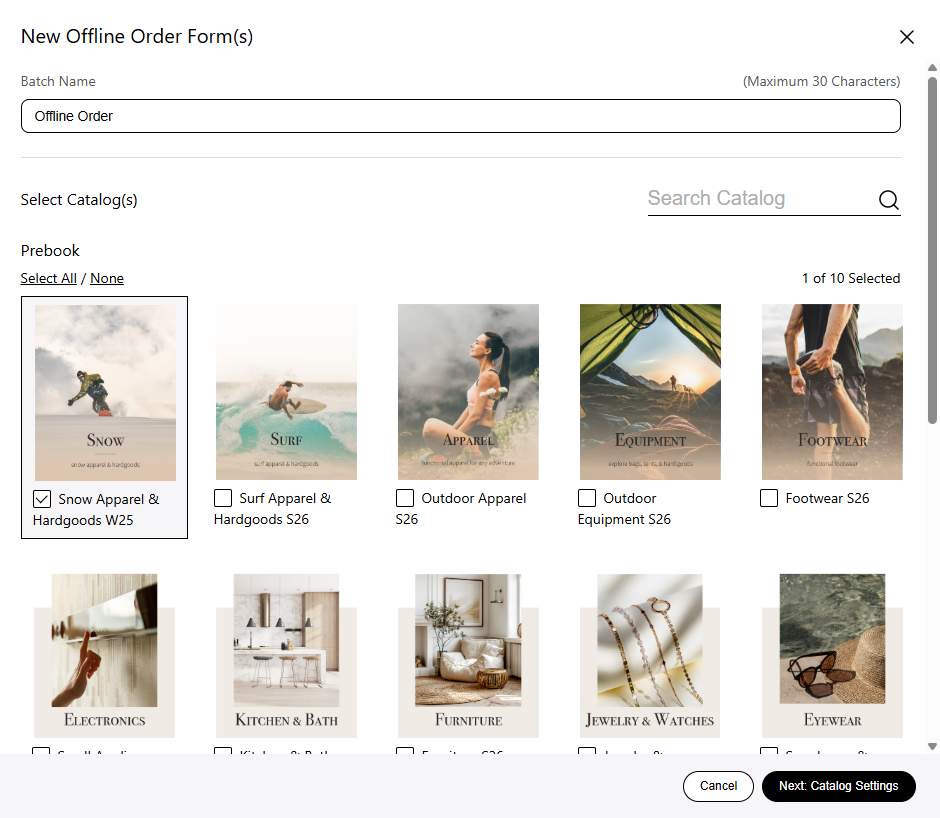
3. Give your offline order form an optional name, select the catalog(s) you'd like to use and go to 'Next Catalog Settings'.
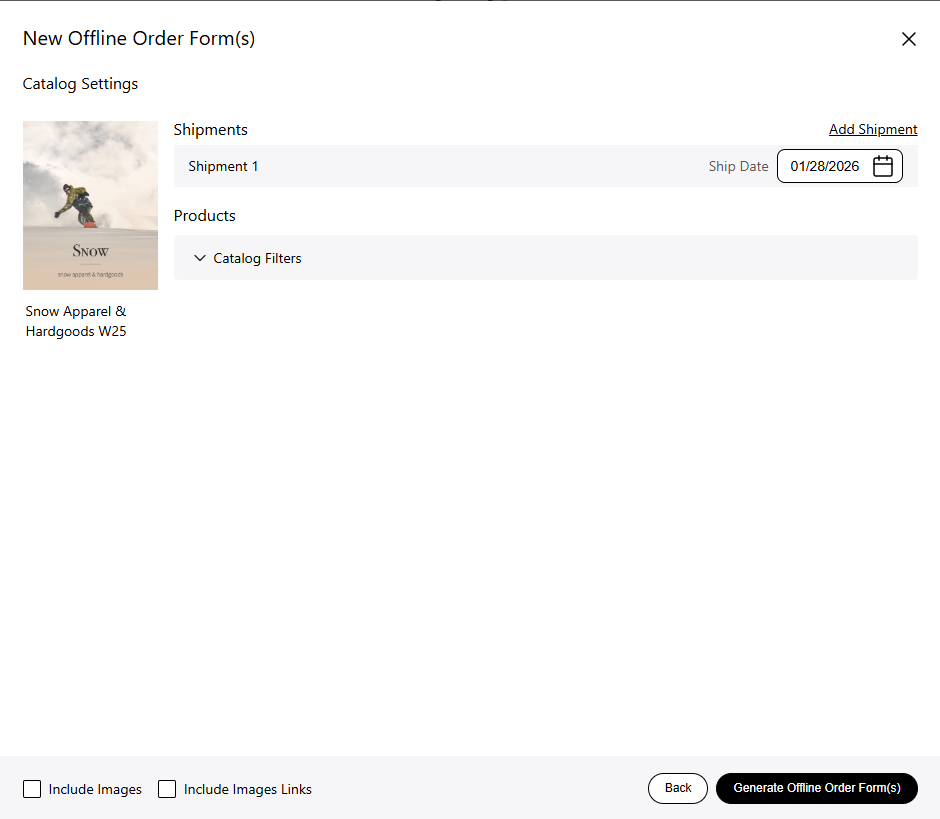
4. Set your shipment dates, and add additional shipments. You can also filter the products based on the selected filters, and choose if you want images or image links included.
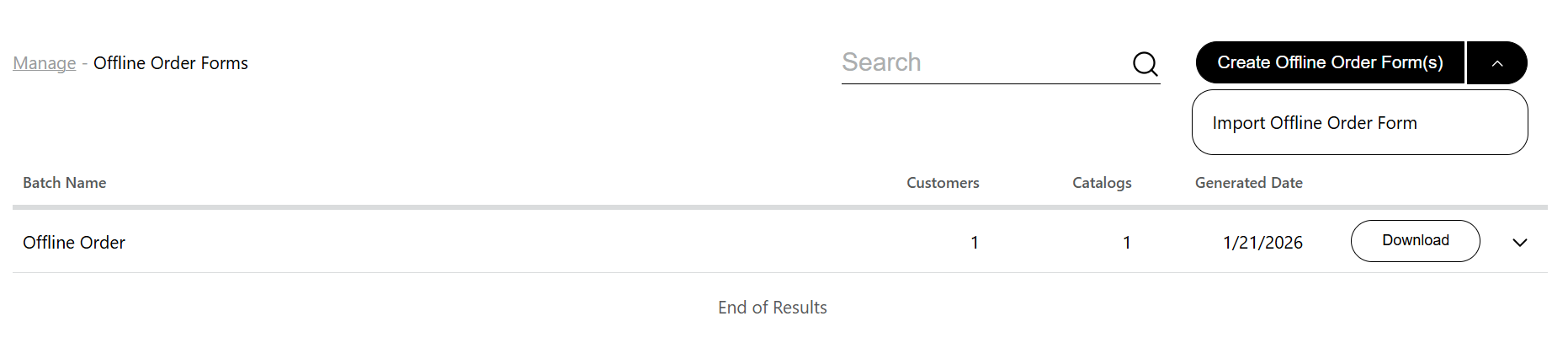
5. You'll get a message saying the offline order form generation has started. After the form has been generated, download if from the offline order form page or your email.
Upload an Offline Order Form
1. After filling out your form, navigate to 'Manage' - 'Offline Order Form' and select 'Import Offline Order Form' from the dropdown menu.
2. Pick the filled out form and select 'Open'. You'll be taken to the catalog, where you can make further edits to your order.